
SMX-RNS20
Remote access, edge computing, and cloud integration — all built in. One device, zero configuration.
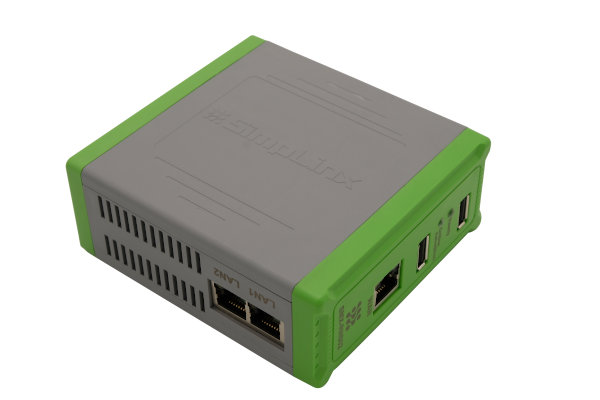
The SMX-RNS20 is a compact DIN-rail remote access unit that creates encrypted P2P tunnels to PLCs, HMIs, and SCADA systems at customer sites — with no IT configuration required on the remote end. Connect via Ethernet, a USB Wi-Fi adapter, or a mobile phone via USB tethering — no local network needed.
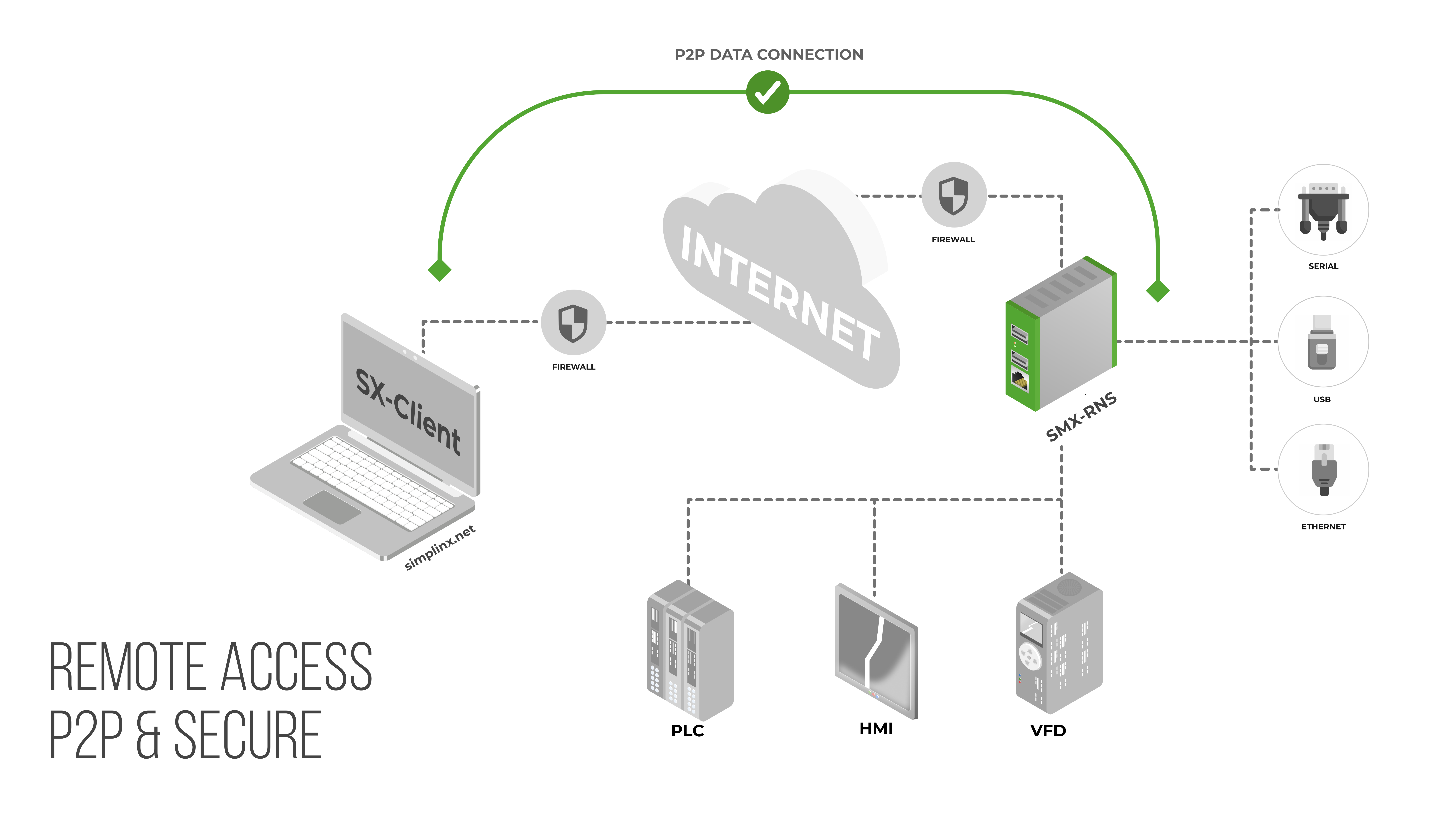
Unlike cloud-relay solutions, your industrial data never passes through Simplinx infrastructure. Think of it like a phone call: the exchange connects you, then has no role in the conversation. A Simplinx relay brokers the handshake — once the P2P tunnel is open, it steps aside. All session traffic flows directly between your PC and the field device over DTLS encryption. Only outbound TCP 443 required.
Key Features
- 2-port Ethernet switch for local device connections (PLCs, HMIs, panels)
- Dedicated WAN port — DHCP pre-enabled, just plug in the RJ-45 cable
- Wireless access point via USB Wi-Fi adapter for local wireless programming
- Serial support: up to 4× RS-232 / RS-485 via SMX-RS001 USB adapter
- P2P DTLS encryption — data never routed through Simplinx servers
- 4096-bit RSA certificate + SHA-256, TLS 1.2/1.3 signal channel
- Dual root filesystem — automatic rollback if a firmware update fails
- LED status indicators for device readiness and active connection
- Bridge mode — SCADA and OPC applications read and write directly to all PLCs and HMIs on the local network
- USB converter support — Siemens USB-MPI and other USB-to-serial adapters for legacy device connections
- Web access via simplinx.net — connect via VNC, HTTP(S), or other protocol directly from Chrome or mobile browser, without installing SX-Client
*.simplinx.net is required. No inbound ports, no VPN concentrator, no changes to your existing firewall rules.Compatible Accessories
One Device. Three Platforms.
The SMX-RNS20 is not just a remote access unit. SX-IO — pre-installed, no extra licence — turns it into a complete edge computing and cloud integration platform.
Secure Remote Connection
Direct encrypted P2P tunnel from your PC to the device — no cloud relay, no industrial data leaving your network through third-party servers.
- Ethernet, RS-232/RS-485 serial, Siemens USB-MPI and USB-to-serial adapters
- Outbound TCP 443 only — no inbound firewall ports, no VPN concentrator
- 4096-bit RSA certificate + SHA-256; optional hardware USB security dongle
- Dual root filesystem — automatic firmware rollback on failed update
Edge Computing & Local Storage
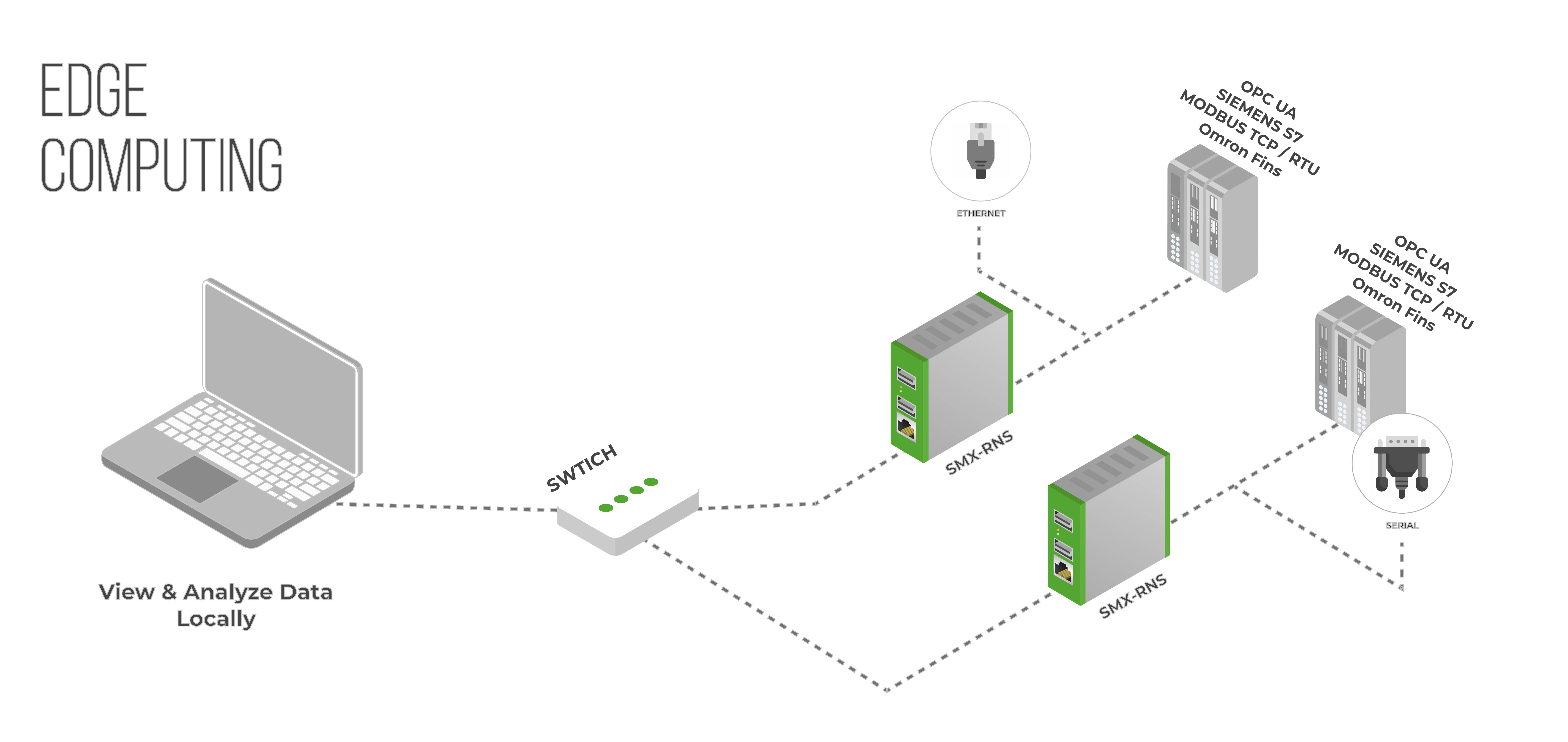
Collect, process, and store industrial data at the source. SX-IO runs autonomously — alarms, archives, and reports continue even when the internet is unavailable.
- Protocols: Modbus TCP/RTU, OPC-UA, Siemens S7, OMRON FINS, Serial
- 2 GB local SQL database — ~40 analog archives per minute for one year
- Cyclic or condition-triggered archiving; historical trend charts
- 17 OMAC machine states — log and analyse line efficiency over time
- Email & SMS alerts; daily, weekly and monthly scheduled reports
Cloud & External Integration
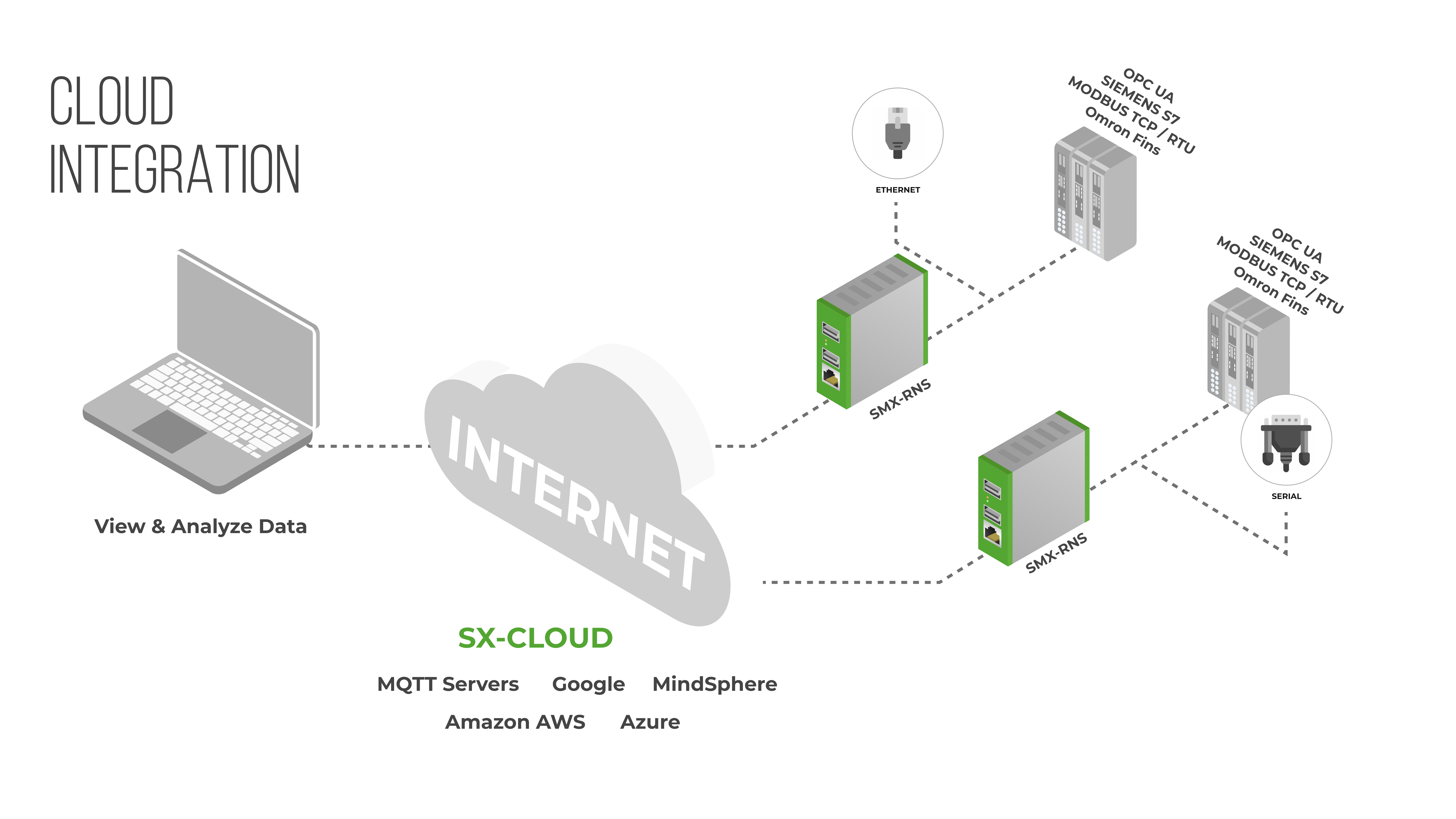
Push data to any major cloud platform or external SQL database in any format and at any interval. Offline buffering prevents data loss — queued data syncs automatically on reconnection.
- AWS IoT, Azure IoT Hub, Google Cloud, MQTT broker
- External SQL databases: PostgreSQL, MySQL, MS SQL
- Configurable buffer — days of offline data retained and synced on reconnection
- Cyclic or event-driven publishing; JavaScript conversion scripts per tag
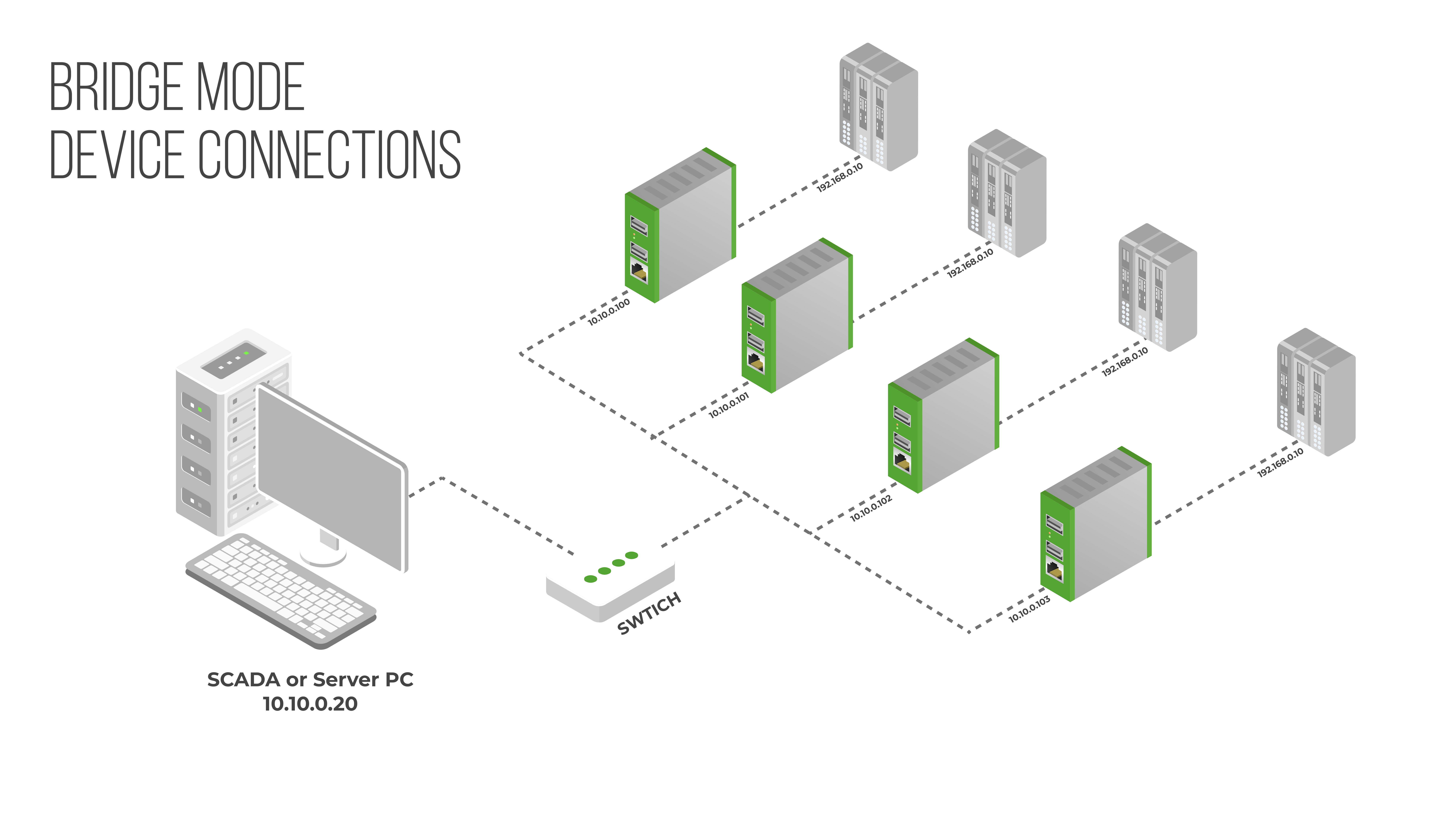
Bridge Mode
Grant office-side devices controlled access to specific ports on specific PLCs or HMIs — without exposing the entire machine network. The machine cannot initiate connections back to the office.
- Port-level rules: only permitted source IPs can reach permitted device ports
- Machine network is isolated — no outbound access to the office LAN
- No changes required on target PLCs, drives or panels
- Configure in minutes through the built-in web interface