
SMX-RNS20
Remote access, edge computing, and cloud integration — all built in. One device, zero configuration.
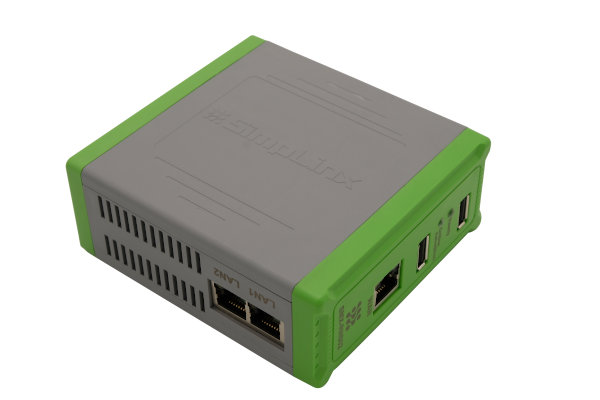
The SMX-RNS20 is a compact DIN-rail remote access unit that creates encrypted P2P tunnels to PLCs, HMIs, and SCADA systems at customer sites — with no IT configuration required on the remote end. Connect via Ethernet, a USB Wi-Fi adapter, or a mobile phone via USB tethering — no local network needed.
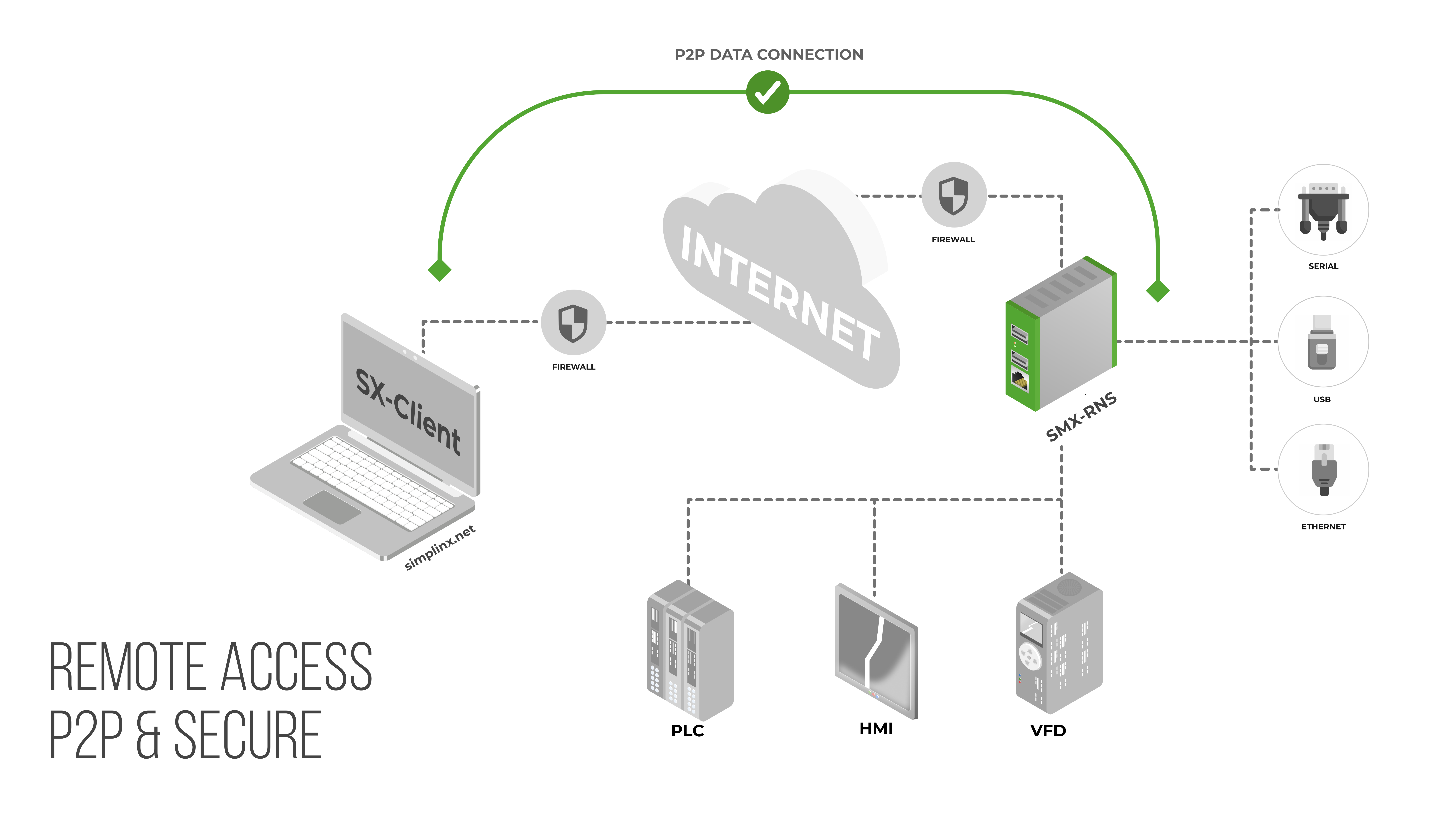
Unlike cloud-relay solutions, your industrial data never passes through Simplinx infrastructure. Think of it like a phone call: the exchange connects you, then has no role in the conversation. A Simplinx relay brokers the handshake — once the P2P tunnel is open, it steps aside. All session traffic flows directly between your PC and the field device over DTLS encryption. Only outbound TCP 443 required.
Key Features
- 2-port Ethernet switch for local device connections (PLCs, HMIs, panels)
- Dedicated WAN port — DHCP pre-enabled, just plug in the RJ-45 cable
- Wireless access point via USB Wi-Fi adapter for local wireless programming
- Serial support: up to 4× RS-232 / RS-485 via SMX-RS001 USB adapter
- P2P DTLS encryption — data never routed through Simplinx servers
- X.509 certificate authentication (RSA + SHA-256), TLS 1.2/1.3 signal channel
- Dual root filesystem — automatic rollback if a firmware update fails
- LED status indicators for device readiness and active connection
- Bridge mode — SCADA and OPC applications read and write directly to all PLCs and HMIs on the local network
- USB converter support — Siemens USB-MPI and other USB-to-serial adapters for legacy device connections
- Browser access via simplinx.net — HMI screens (VNC) and web interfaces (HTTP/HTTPS) from Chrome or a mobile browser, nothing to install
*.simplinx.net is required. No inbound ports, no VPN concentrator, no changes to your existing firewall rules.Compatible Accessories
One Device. Three Platforms.
The SMX-RNS20 is not just a remote access unit. SX-IO — pre-installed, no extra licence — turns it into a complete edge computing and cloud integration platform.
Secure Remote Connection
Direct encrypted P2P tunnel from your PC to the device — no cloud relay, no industrial data leaving your network through third-party servers.
- Ethernet, RS-232/RS-485 serial, Siemens USB-MPI and USB-to-serial adapters
- Outbound TCP 443 only — no inbound firewall ports, no VPN concentrator
- X.509 certificate authentication (RSA + SHA-256); optional hardware USB security dongle
- Dual root filesystem — automatic firmware rollback on failed update
Edge Computing & Local Storage
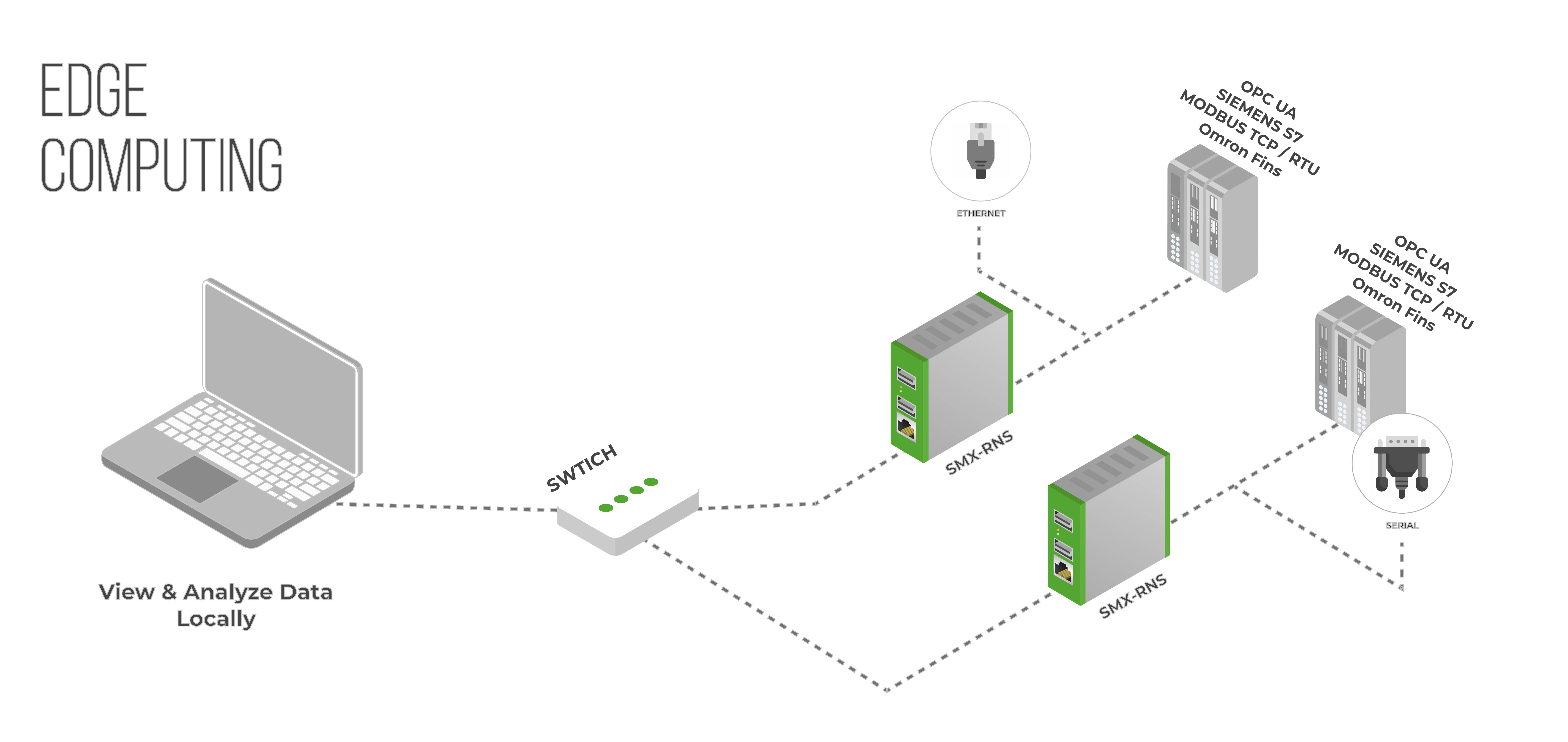
Collect, process, and store industrial data at the source. SX-IO runs autonomously — live values, alarms, dashboards and archives remain available even when the internet is unavailable.
- 13 industrial protocol drivers, including Modbus TCP/RTU, OPC UA, Siemens S7, EtherNet/IP, BACnet, SNMP, OMRON FINS, serial, MQTT and HTTP/JSON
- Sized for up to 5 drivers, 100 tags and 50 archives on the SMX-RNS20
- Local historian with cyclic, on-change and condition-triggered recording
- Configurable dashboards, live trends, historical trends and CSV/PNG export
- OMAC PackML machine-state timelines with duration, percentage and transition totals
- Local event rules with e-mail and SMS notifications through your own provider
Cloud & External Integration
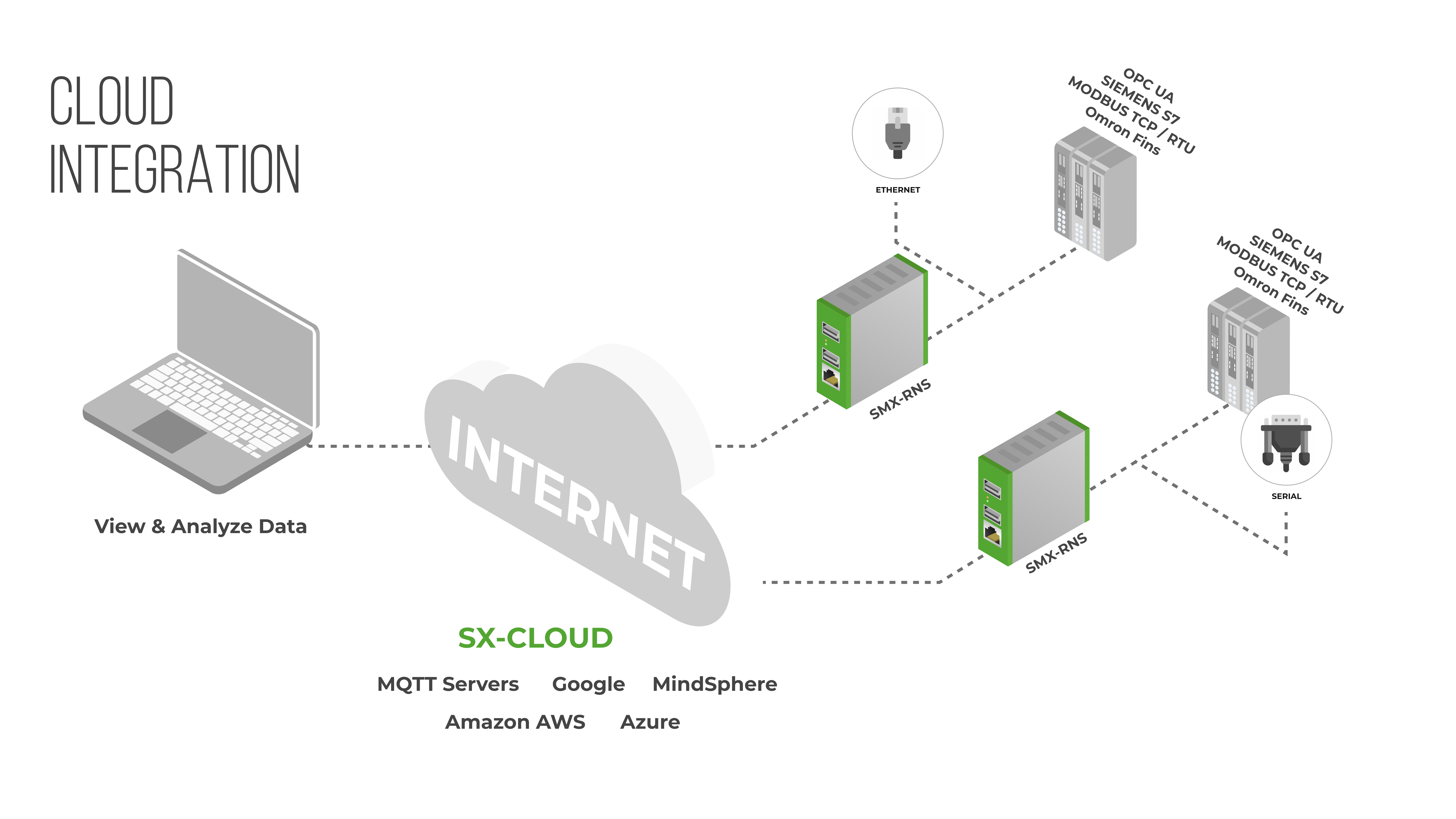
Push data to a cloud platform, MQTT broker or external SQL database in the format and cycle the destination expects. Store-and-forward delivery keeps temporary outages from becoming gaps.
- AWS IoT, Azure IoT Hub and standard MQTT brokers
- External SQL databases: PostgreSQL, MySQL, MS SQL
- Disk-backed queues retain undelivered data and drain in order after reconnection
- Cyclic or condition-driven publishing with configurable message expressions
- Modbus TCP server and a read-only REST API for systems that pull data
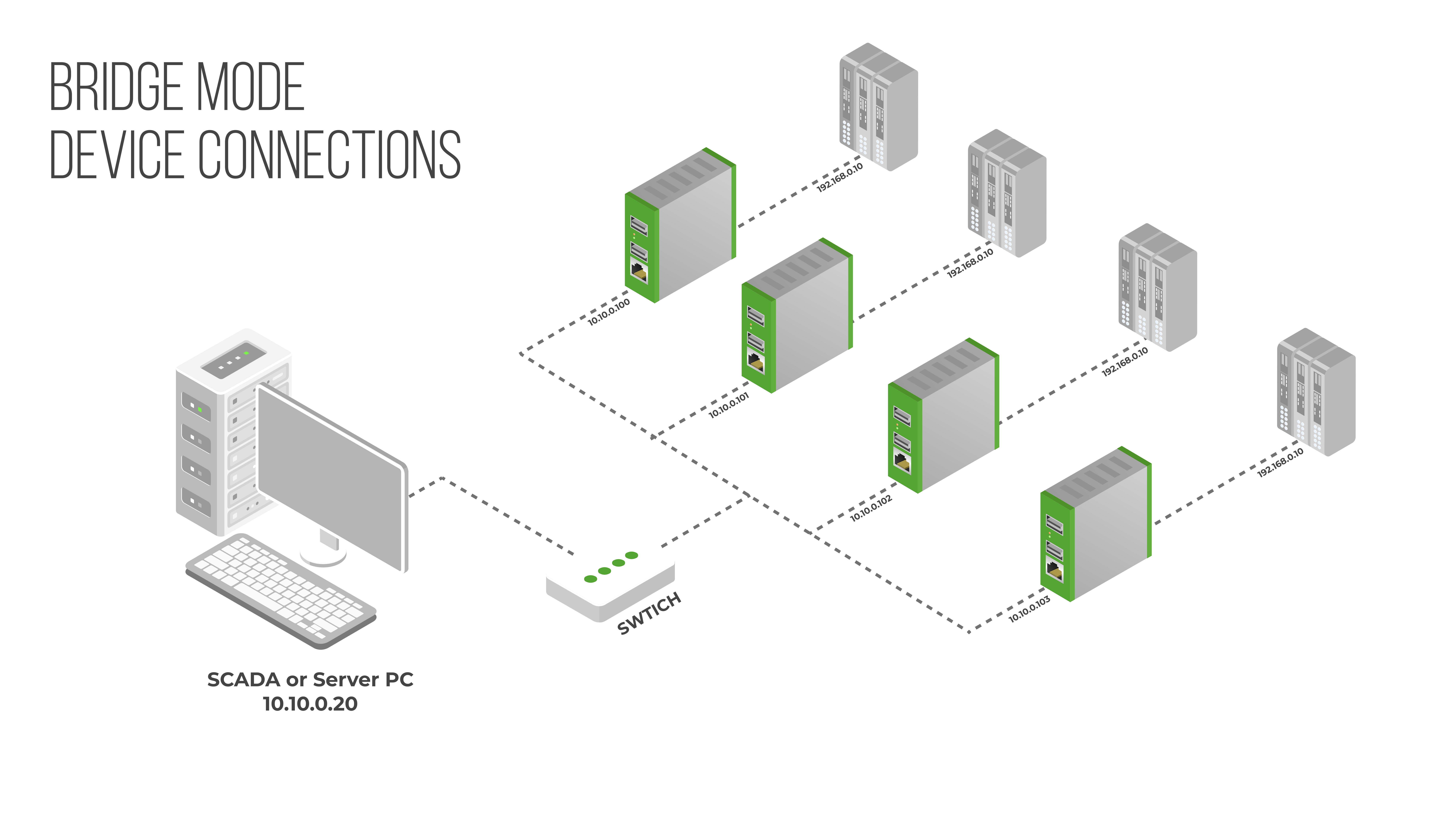
Bridge Mode
Grant office-side devices controlled access to specific ports on specific PLCs or HMIs — without exposing the entire machine network. The machine cannot initiate connections back to the office.
- Port-level rules: only permitted source IPs can reach permitted device ports
- Machine network is isolated — no outbound access to the office LAN
- No changes required on target PLCs, drives or panels
- Configure in minutes through the built-in web interface