
Modbus TCPEthernet devices and PLCs
Works through outagesAcquisition and history stay local
Built-in visibilityDashboards, live and historical trends
Push or pullCloud, SQL, Modbus and REST
Open in a browserNo engineering workstation required
One path from OT to IT
Read it. Understand it. Hand it on.
SX-IO sits beside the machines. It turns many field protocols into one live data model, records what matters, evaluates rules locally and connects the result to the rest of your stack.
SX-IO data flow architecture Industrial protocols and devices feed SX-IO. SX-IO acquires, transforms and records data, evaluates rules, draws trends and dashboards, then sends data to cloud, SQL, Modbus and REST destinations. Events can notify people by e-mail and SMS.
Protocols & devices
Read the plant floor
Modbus TCP / RTU PLCs, drives, meters
Siemens S7 · EtherNet/IP Industrial controllers
OPC UA · BACnet · SNMP Systems and infrastructure
Serial · TCP text Scales and analysers
MQTT · HTTP / JSON IIoT and web sources
Industrial data platform SX-IO Local
Acquire & transform
Local historian
Trends & dashboards
Rules & machine states
Store and forward keeps delivery moving after a connection returns.
Connectors
Hand data on
MQTT · AWS IoT · Azure Publish to cloud and brokers
PostgreSQL · MySQL · SQL Server Insert into your tables
Modbus TCP server Serve data to SCADA and PLCs
Read API Current values as JSON
Notify people E-mail SMS System log
A working view, not a configuration screen
See what the line is doing now.
Each user can arrange dashboards around the questions they actually ask. Combine live values, status indicators, historical trends, state timelines and explanatory text on one board, then share a read-only view when it belongs on the wall.
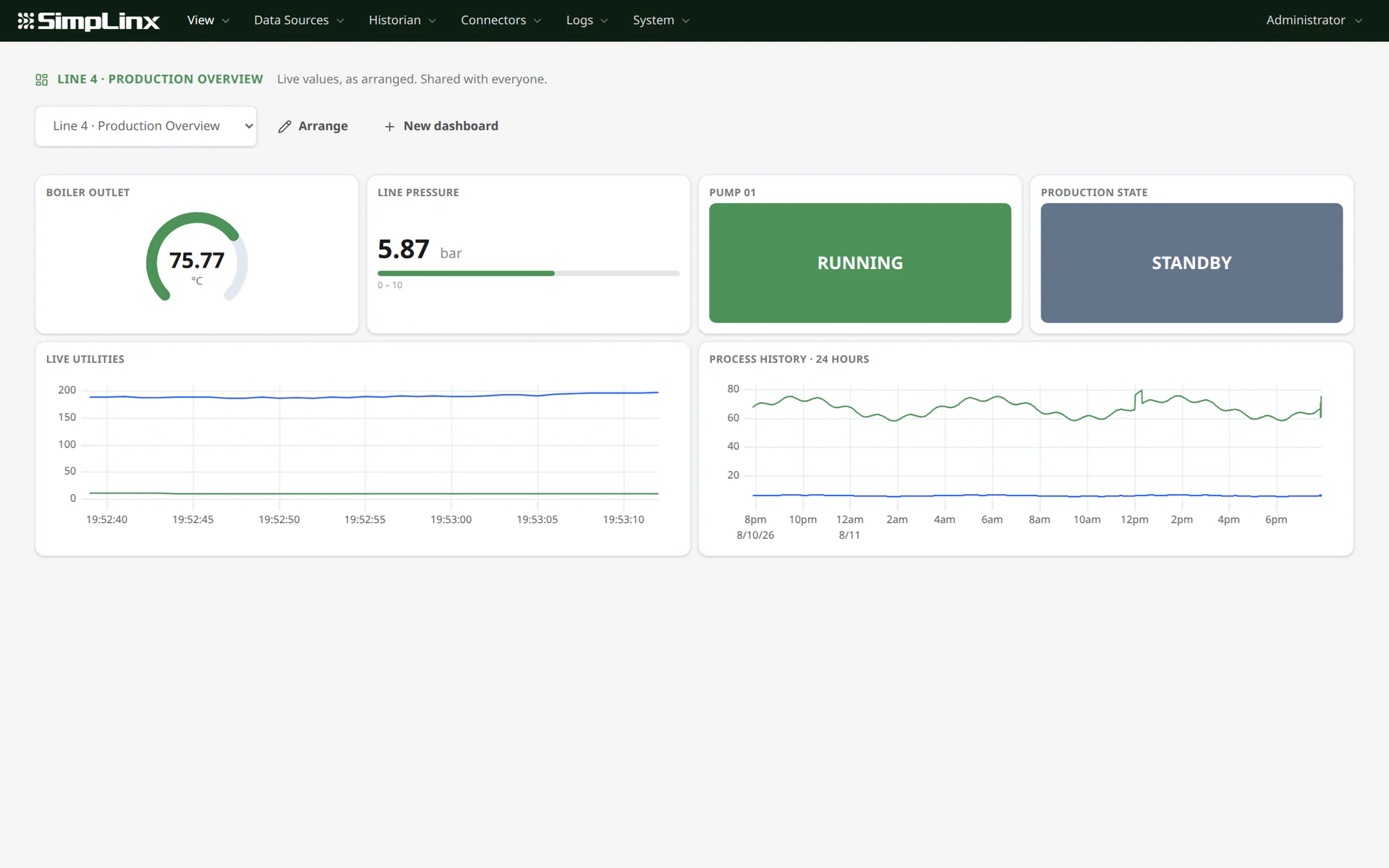
01Live process values
02Historical and live trends
03Clear machine states
Data acquisition
It speaks what your plant speaks.
Ethernet, serial, automation and IT sources belong in the same tag model. Every driver has an address reference inside SX-IO, while conversion expressions handle scaling, masks and calculations without changing the PLC program.
Modbus RTURS-485 serial networks
Siemens S7S7-300 through S7-1500
EtherNet/IPRockwell / Allen-Bradley
OPC UAVendor-neutral interoperability
BACnet/IPBuilding automation
Omron FINSCJ, CS, CP and NX/NJ
SNMP v1 / v2cNetwork and utility equipment
SNMP v3Authenticated and encrypted
SerialScales, meters and analysers
TCP textSerial devices over Ethernet
MQTT subscribeIIoT sensors and bridges
HTTP / JSONREST endpoints and web sources
Historian and trends
Keep the history without hiding the event.
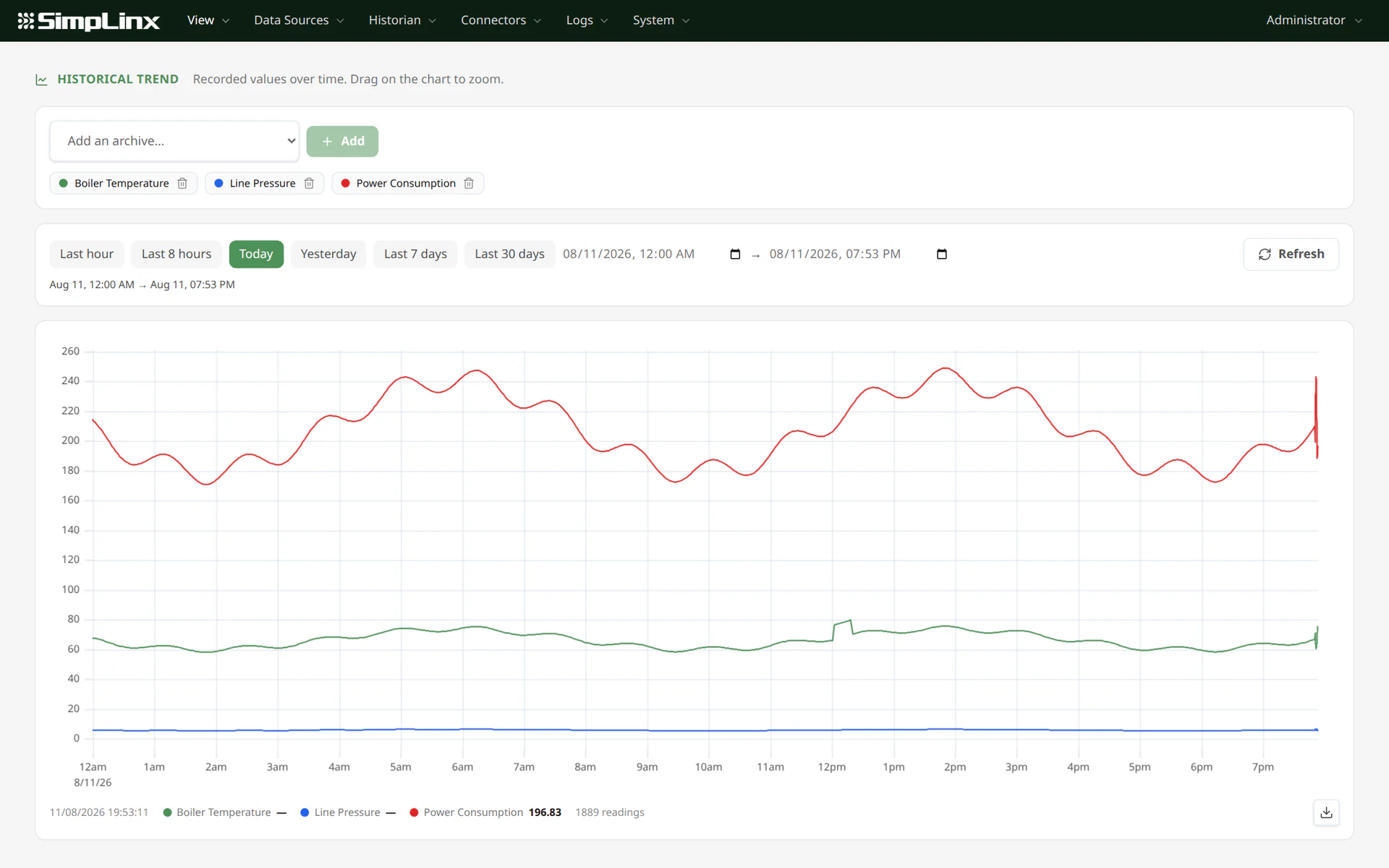
Record on a cycle, when a value changes, or while a condition is true. When a long time range contains more readings than a screen can draw, SX-IO preserves the real minimum and maximum of each interval instead of averaging a short spike away.
- Multiple archives on one aligned trend
- Zoom to request more detail from the historian
- Download the visible chart as PNG or CSV
- Machine-state timelines and duration totals
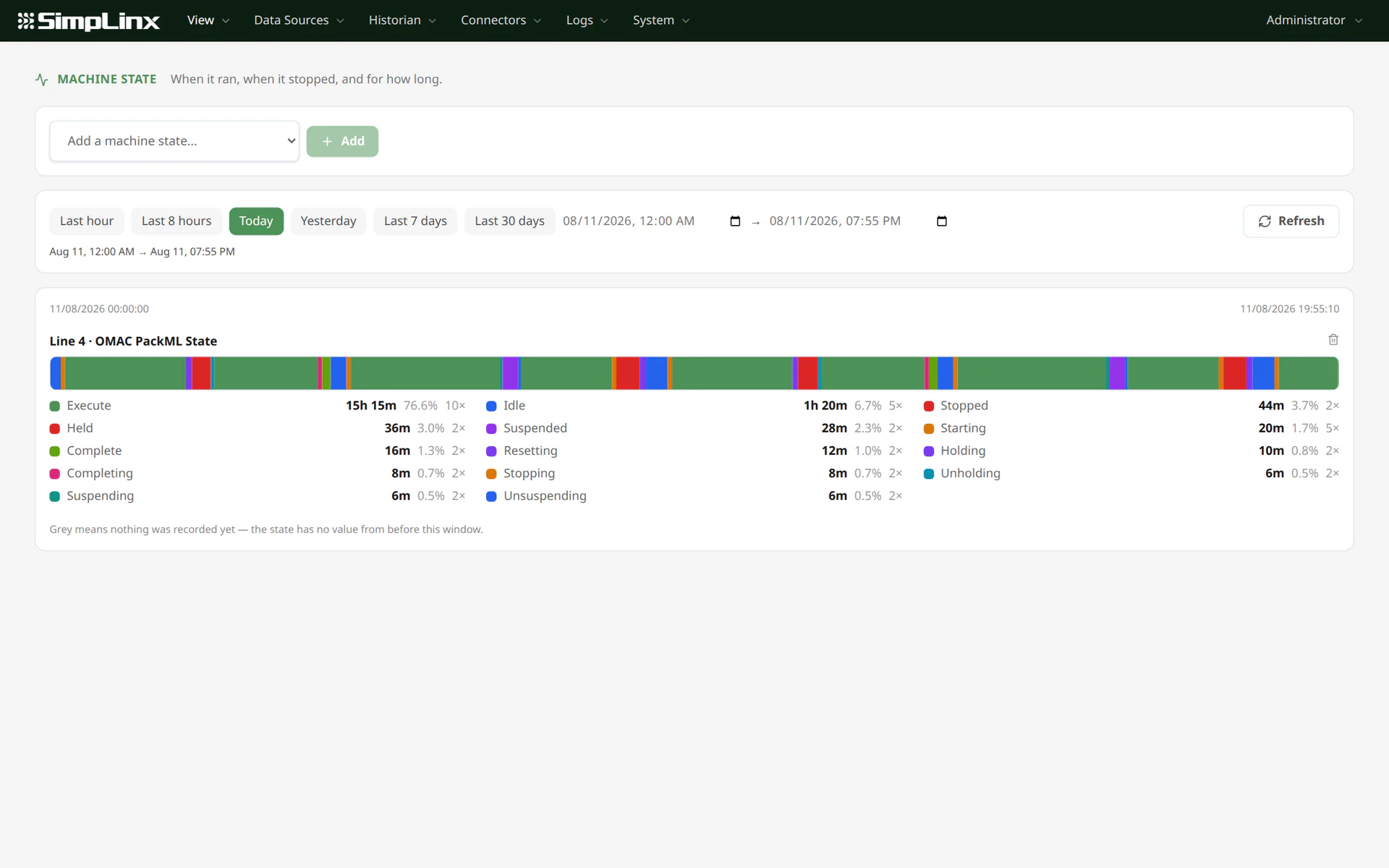
OMAC PackML machine states
Know how long the machine ran — and why it did not.
A tag archive tells you what a value was. Machine State watches transitions and turns them into an operating timeline: when the line executed, stopped, held or waited, and how much of the selected window each state consumed.
- Built-in labels for all OMAC PackML / ISA-TR88.00.02 states
- One visual band for Execute, Idle, Stopped, Held, Suspended and every transition
- Total duration, share of the window and transition count per state
- Binary running/stopped and custom numeric state models are supported too
At a glanceSee productive time, planned stops and unexpected downtime without reconstructing events from a table.
Events and delivery
When something changes, SX-IO acts locally.
Write a condition over live values and decide what should happen when it becomes true. Rules trigger on the transition, while quotas, cooldowns and digests keep a noisy sensor from becoming a flood of messages.
Evaluate rules
Combine tags, bits, calculations and time-based logic in a testable expression.
Notify people
Send e-mail or SMS through your own provider, with every decision recorded in history.
Recover cleanly
Temporary delivery failures remain queued and are retried without blocking data acquisition.
Open integration
Four ways out.
Use push for systems that receive data and pull for systems that ask for it. SX-IO covers both automation and IT interfaces.
Cloud and MQTT
Publish to a standard MQTT broker, AWS IoT or Azure IoT Hub. Build the payload your platform expects and retain messages on disk until they are delivered.
Your SQL database
Insert directly into PostgreSQL, MySQL or SQL Server on a cycle or when a condition becomes true. SX-IO writes to your existing tables without taking ownership of them.
Modbus TCP server
Expose selected live values through an explicit register map, including heartbeat and quality information for SCADA systems and PLCs that pull data.
Read API
Give an MES, report or application current tag values as JSON. Machine access uses a separate API key limited to the read interface.
Built to be operated for years
The answers stay close to the machine.
A gateway is installed once and then operated by people who did not install it. SX-IO keeps configuration, live status, history and delivery records together so the next question can be answered from the same browser.
Per-user permissions
Grant each account read or write on each part of the configuration, and leave the rest as monitoring only.
An explainable system log
Search what connected, what was delivered, what failed and why.
Backup and restore
Export the complete configuration as one file and preview a restore before applying it.
English and Turkish
Use the entire browser interface in either language, at the panel or from a remote session.
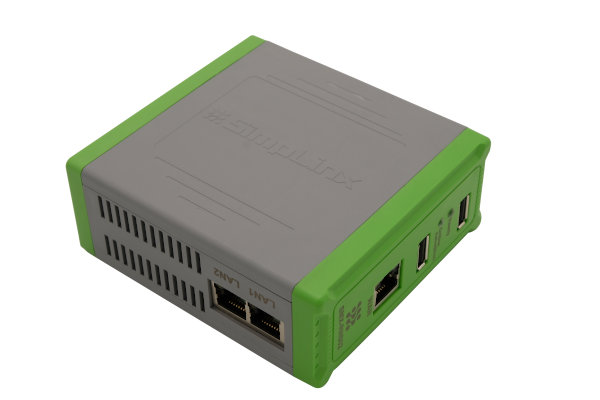
Ready on Simplinx hardware
SX-IO comes pre-installed on the SMX-RNS20.
The same DIN-rail device that provides secure remote access can also collect, record and deliver machine data. There is no separate software installation and no external database service to maintain.
Explore SMX-RNS20 Flexible deployment
One platform. Three ways to deploy.
Start with a ready-to-run Simplinx device or install SX-IO on infrastructure you already operate. The same browser-based platform stays close to the process.
SX-IO is not tied to Simplinx hardware.
Install it on your own server or on an industrial PC at the site.
SMX-RNS20
Pre-installed on compact DIN-rail hardware, ready to collect data beside the machine.
Your server
Install SX-IO centrally on a server managed within your own infrastructure.
Industrial PC at the site
Run SX-IO on an industrial PC close to the line when the application needs more local resources.
Frequently asked questions
The practical details.
Have a protocol or deployment question that is not here? Tell us what is in the cabinet and we will check it with you.
What happens when the internet connection is lost?
Device polling, local history, dashboards and event evaluation continue. Outbound cloud and SQL data remains on disk and delivery resumes when the destination is available again.
Where is historian data stored?
In a local database on the system where SX-IO runs — an SMX-RNS20, your own server or an industrial PC at the site. Viewing a trend does not require a cloud historian or a separate database service.
Can another application read live values?
Yes. Applications can use the read API, while SCADA systems and PLCs can consume an explicit Modbus TCP register map.
Can SX-IO show OMAC PackML machine states?
Yes. A machine-state recorder can label the standard OMAC PackML StateCurrent values, draw their timeline and calculate the total duration, percentage and transition count for each state.
Do I need engineering software to configure it?
No. Drivers, tags, archives, rules, connectors, users and dashboards are configured from the built-in English or Turkish web interface.
See it with a device you know
Point SX-IO at your PLC.
The quickest proof is a live value you can verify. Tell us the controller and protocol; we will prepare the demo around it.